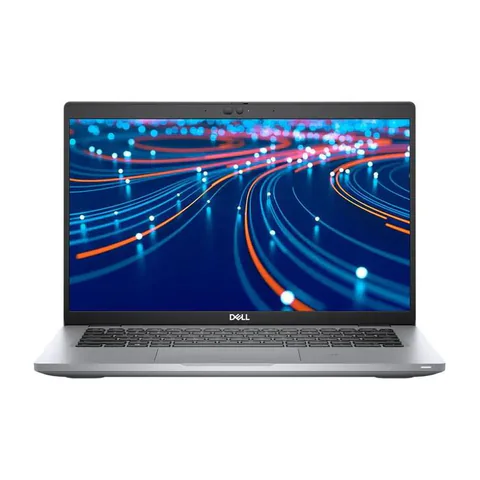
The best laptop for customer service agents in Kenya should handle the actual call system, customer dashboard and team tools at the same time. Start with a 16GB RAM configuration and an SSD for a busy browser-based shift, then test the headset and network. A processor badge cannot establish clear audio, reliable screen sharing or compatibility with an employer’s software. For a remote call centre, the acceptance test matters more than a generic “office laptop” description.
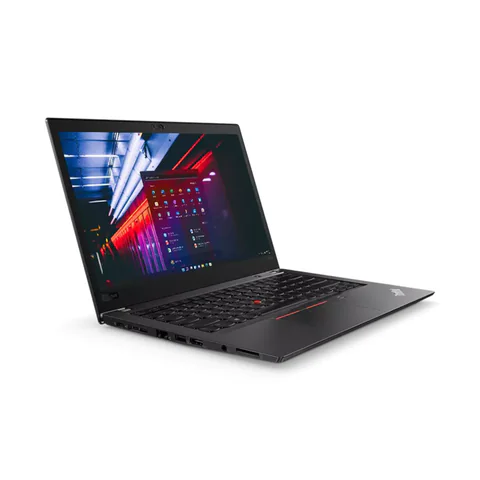
Compare the EliteBook 840 G8 and ThinkPad T480s configurations below as memory-ready research options. The Latitude 5420 listing contains 8GB RAM, so assess the real workload and obtain a written upgrade quote if necessary. None of these records includes a completed call-centre performance test.
Quick comparison: listed configurations and prices
| Model | Advertised configuration | Listed price | Listing shop |
|---|---|---|---|
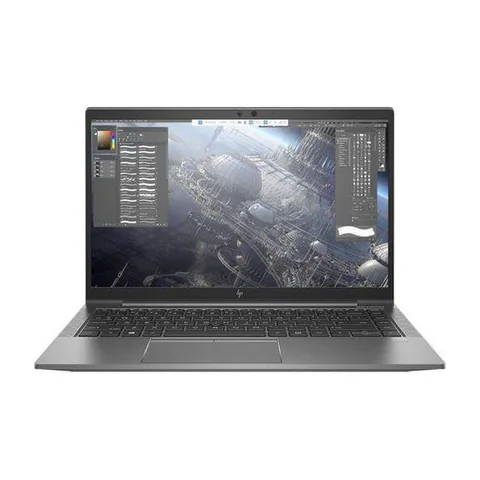
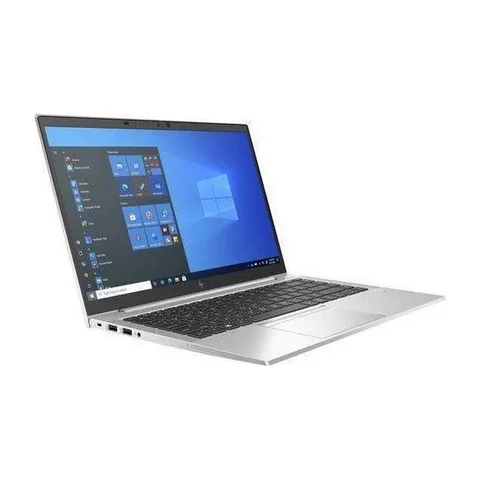
| HP EliteBook 840 G8from KSh 35,100 | Intel Core i5 (11th generation); 16GB RAM; 256GB SSD | KSh 37,800 | Onit Computers Nairobi |
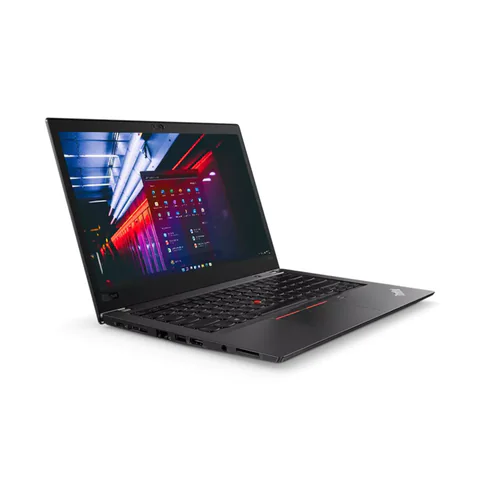
| Lenovo ThinkPad T480sfrom KSh 22,140 | Intel Core i7 (8th generation); 16GB RAM; 512GB SSD | KSh 29,700 | Onit Computers Nairobi |
| Dell Latitude 5420from KSh 37,800 | Intel Core i5 (11th generation); 8GB RAM; 256GB SSD | KSh 37,800 | Onit Computers Nairobi |
Prices checked on Laptop Prices Kenya on 20 November 2026. These are advertised configurations, all listed as Ex-UK refurbished. They are not checkout confirmations or a survey of every Kenyan seller. Confirm the exact unit, current total, battery condition and written terms with the named shop.
Match a customer service laptop to the shift
Ask the employer which softphone, browser, customer-record system and security tools the role requires. A softphone is software used to make calls through a computer. Some teams also require screen recording, a particular headset or a managed operating system. Get that list before choosing a device.
Next, reproduce the busiest normal period. Open a sample customer dashboard, a knowledge base, messaging and the call application together. Use a demonstration account that contains no customer information. This reveals more about fit than opening a blank browser in the shop.
| Type of support | What to prioritise | Acceptance test |
|---|---|---|
| Voice calls | Compatible headset, stable audio and dependable connection | Make a test call through the required platform |
| Chat and email support | Readable windows and comfortable typing | Switch between several sample conversations |
| Remote call-centre shifts | Concurrent apps, power plan and employer policy | Run the normal shift setup together |
Compare the configurations, including missing details
The EliteBook 840 G8 offer lists an 11th-generation Core i5, 16GB RAM and a 256GB SSD. It provides a practical starting configuration for investigation. However, the listing does not establish microphone quality, network stability or the exact CPU number. Ask for those details and a realistic trial.
The ThinkPad T480s option provides 16GB RAM and a 512GB SSD at a lower listed price. That can leave more room for an approved headset. Its older CPU generation and refurbished condition remain trade-offs. Check the keyboard and charging system carefully for a job that depends on sustained use.
The Latitude 5420 option advertises an 11th-generation Core i5 with 8GB RAM. Do not treat its sticker price as equivalent to a 16GB configuration. Confirm whether the actual machine supports the upgrade you need, who will install it and what the final total will be.
Test the headset and network together
Connect the headset you intend to use, including its receiver or adapter. Make a short call and ask the other participant about clarity, background noise and interruptions. Test mute controls too. A working headphone socket does not prove that every headset feature will work.
Also check the employer’s connection requirements at your home desk. Ethernet may be useful where available, but verify the laptop’s socket or compatible adapter. A newer Wi-Fi label cannot fix a weak connection or a congested service.
Zoom’s desktop requirements are relevant where a team uses Zoom for meetings. For the call platform itself, consult its own requirements. Do not assume that passing one meeting application’s minimum specification approves every customer-support tool.
Plan shift continuity and handover
Ask what happens when power or connectivity fails. A used battery report offers condition evidence, but it does not prove that a laptop will last a whole shift. Include the router and headset in the continuity plan rather than considering only the laptop.
For shared equipment, use the employer’s account and handover procedure. Avoid leaving customer sessions open for the next user. Confirm who manages updates, support and recovery before buying a personal device for the role.
Check Windows compatibility if required. The used-laptop inspection guide covers the physical checks that a software trial will not reveal.
Questions before you pay
Will 16GB RAM guarantee smooth calls?
No. It provides memory headroom for many concurrent workflows, but audio devices, software and connectivity still need testing.
Should I buy a separate webcam?
Only if the role requires better video than the actual built-in camera provides. Try a call first and include any necessary accessory in the budget.
Can a shop approve the laptop for my employer?
The employer should confirm its requirements. Ask the shop to demonstrate the hardware against that written list rather than relying on a broad assurance.
Choose the best laptop for customer service agents in Kenya by testing the complete shift setup. Request an itemised quote with the required RAM, headset and connection accessories, or explore the business laptop hub.
Research method and sources
This AI-assisted guide compares published specifications and advertised marketplace offers checked on 20 November 2026. It is not a hands-on review. Individual battery life, exact CPU part numbers and any omitted graphics details remain unverified. Laptop Prices Kenya helps buyers compare independent shops; the selling shop handles the sale and its own warranty terms.

Laptop Prices Kenya compares new, ex-UK and refurbished laptops from shops across Kenya and checks prices against live listings before publishing.
Prices in this article come from live shop listings and change often. Check the shop, the exact unit, its battery and the written warranty before you pay.
Get the right laptop for your budget
Answer two questions and see matching laptops from Kenyan shops, or post one request and let shops send you offers.