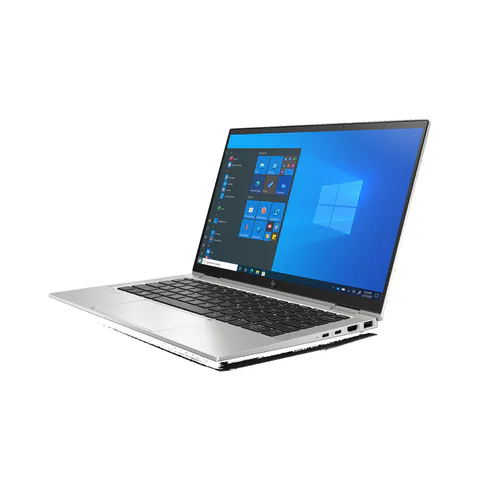
The best laptop for Android app development in Kenya depends heavily on whether you will test on a physical phone or run an emulator on the laptop. Start with the current Android Studio requirements and the exact toolchain your course or team uses. Do not assume that a laptop suitable for an editor automatically meets emulator requirements. The checked catalog does not provide enough exact CPU and graphics information to approve a complete emulator configuration.
The offers below are capacity examples to screen. Their listed 16GB or 32GB RAM is useful information, but it does not establish graphics compatibility, virtualization support or suitability for a particular Android project.
Catalog configurations to screen before choosing
| Model | Advertised configuration | Listed price | Listing shop |
|---|---|---|---|
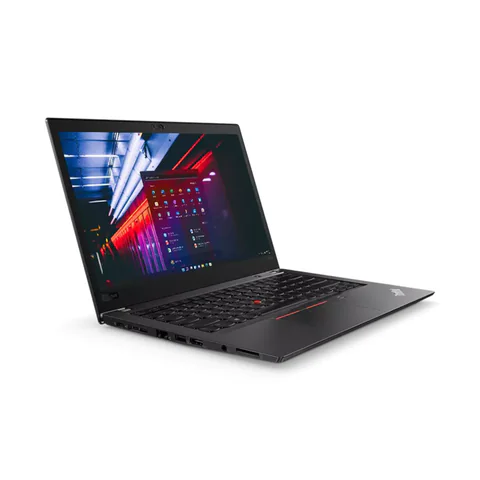
| Lenovo ThinkPad T480sfrom KSh 22,140 | Intel Core i7 (8th generation); 16GB RAM; 512GB SSD | KSh 29,700 | Onit Computers Nairobi |
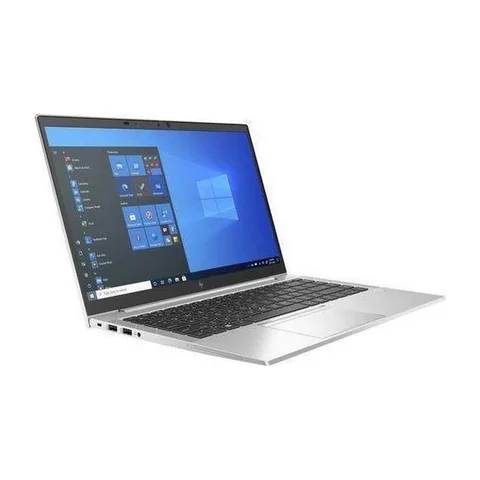
| HP EliteBook 840 G8from KSh 35,100 | Intel Core i5 (11th generation); 16GB RAM; 256GB SSD | KSh 37,800 | Onit Computers Nairobi |
| HP EliteBook x360 1030 G8from KSh 59,400 | Intel Core i7 (11th generation); 32GB RAM; 512GB SSD | KSh 61,560 | Onit Computers Nairobi |
Prices checked on Laptop Prices Kenya on 20 November 2026. These are advertised configurations, all listed as Ex-UK refurbished. They are not checkout confirmations or a survey of every Kenyan seller. Confirm the exact unit, current total, battery condition and written terms with the named shop.
These offers are research candidates. The available records do not establish that they meet every software, graphics or feature requirement discussed below. Obtain the missing details before treating an offer as suitable.
Physical-device testing and emulation are different purchases
A physical-device workflow uses a compatible phone to run the application while the laptop provides development tools. An emulator runs a virtual device on the computer and adds its own requirements. Ask your department or team whether both are mandatory.
The current Android Studio installation page distinguishes Studio from Studio with an emulator. It lists 8GB RAM for Studio alone and 16GB for Studio plus the emulator, with 32GB recommended. It also specifies CPU, virtualization and graphics conditions. Check the live page for the exact release before buying.
| Workflow | Purchase question | Proof to request |
|---|---|---|
| Android Studio with a physical phone | Does the host meet Studio and project requirements? | Full CPU, OS, memory and a working sample |
| Studio with local emulator | Does the complete machine meet emulator requirements? | Virtualization, exact GPU and an emulator trial |
| Cross-platform development | Which host systems and target platforms are required? | Toolchain-specific platform documentation |
Do not infer emulator support from these listings
The T480s offer lists an older-generation Core i7, 16GB RAM and a 512GB SSD. It provides a price and capacity reference, not an emulator approval. Obtain the complete processor and graphics details and compare them with the current official requirements.
The EliteBook 840 G8 offer lists an 11th-generation Core i5, 16GB RAM and a 256GB SSD. Its CPU generation alone is insufficient for a verdict. The exact processor class, virtualization setting and graphics configuration still need verification.
The 32GB EliteBook x360 1030 G8 gives a higher-memory reference with a 512GB SSD. More RAM does not remove other requirements. The checked records do not establish that its exact hardware meets every condition on Android Studio’s emulator list.
Flutter and React Native still need a target-platform brief
A shared application codebase does not mean every host computer can build and test every target platform. List whether the project targets Android, iOS, desktop or the web. Then check the current framework and target-platform documentation.
For Android targets, account for the Android SDK and chosen testing method. If iOS output is required, obtain the current Apple build-tool and host requirements before buying a Windows laptop. Do not assume an emulator or a later software installation will remove a platform restriction.
Also consider the normal project environment. A browser, editor, build tools and local services may run together. If Docker is part of the workflow, verify its host requirements separately rather than counting only the mobile tools.
Run the right sample project
- Write down the required toolchain, operating system and target devices.
- Obtain the laptop’s complete CPU and GPU names.
- Confirm required virtualization support and settings.
- Open a permitted sample app using the intended build tools.
- Build and launch using the testing method you will actually need.
- Observe memory, storage use and stability while supporting apps remain open.
Use a realistic demonstration rather than simply opening Android Studio. A blank project proves less than building and running the kind of app you will develop. Record any part of the workflow the seller cannot demonstrate.
Budget for storage and the testing device
SDKs, virtual-device images, dependencies and build outputs can consume substantial space over time. Ask for a storage upgrade quote if the advertised SSD leaves too little room for the planned tools. Do not treat installation space as the whole development-storage budget.
If physical-device testing is allowed, include the required phone and cable in the plan. Confirm compatibility and permission to use the device. The lower cost of a laptop does not help if an essential testing device is missing.
Explore the programming laptop hub for broader configurations and the RAM and storage guide for capacity choices.
Common questions
Does 32GB RAM guarantee emulator performance?
No. CPU, graphics, virtualization, operating system and the project also matter. Verify the complete official requirement set.
Can I use a physical phone instead?
That may be appropriate for some workflows, but confirm the course or team’s requirements and demonstrate the actual setup.
Which shortlisted laptop is the verified winner?
The available records do not establish one for emulator use. The missing hardware details prevent a responsible ranking.
Choose the best laptop for Android app development in Kenya by specifying the testing workflow first. Request a quote with the official requirements attached and ask for a sample build demonstration before payment.
Research method and sources
This AI-assisted guide compares published specifications and advertised marketplace offers checked on 20 November 2026. It is not a hands-on review. Individual battery life, exact CPU part numbers and any omitted graphics details remain unverified. Laptop Prices Kenya helps buyers compare independent shops; the selling shop handles the sale and its own warranty terms.

Laptop Prices Kenya compares new, ex-UK and refurbished laptops from shops across Kenya and checks prices against live listings before publishing.
Prices in this article come from live shop listings and change often. Check the shop, the exact unit, its battery and the written warranty before you pay.
Get the right laptop for your budget
Answer two questions and see matching laptops from Kenyan shops, or post one request and let shops send you offers.